Popular design trends that destroy conversion
Popular design trends that destroy conversion
Why most sales websites now drift into abstraction and irrelevance and how to avoid it.
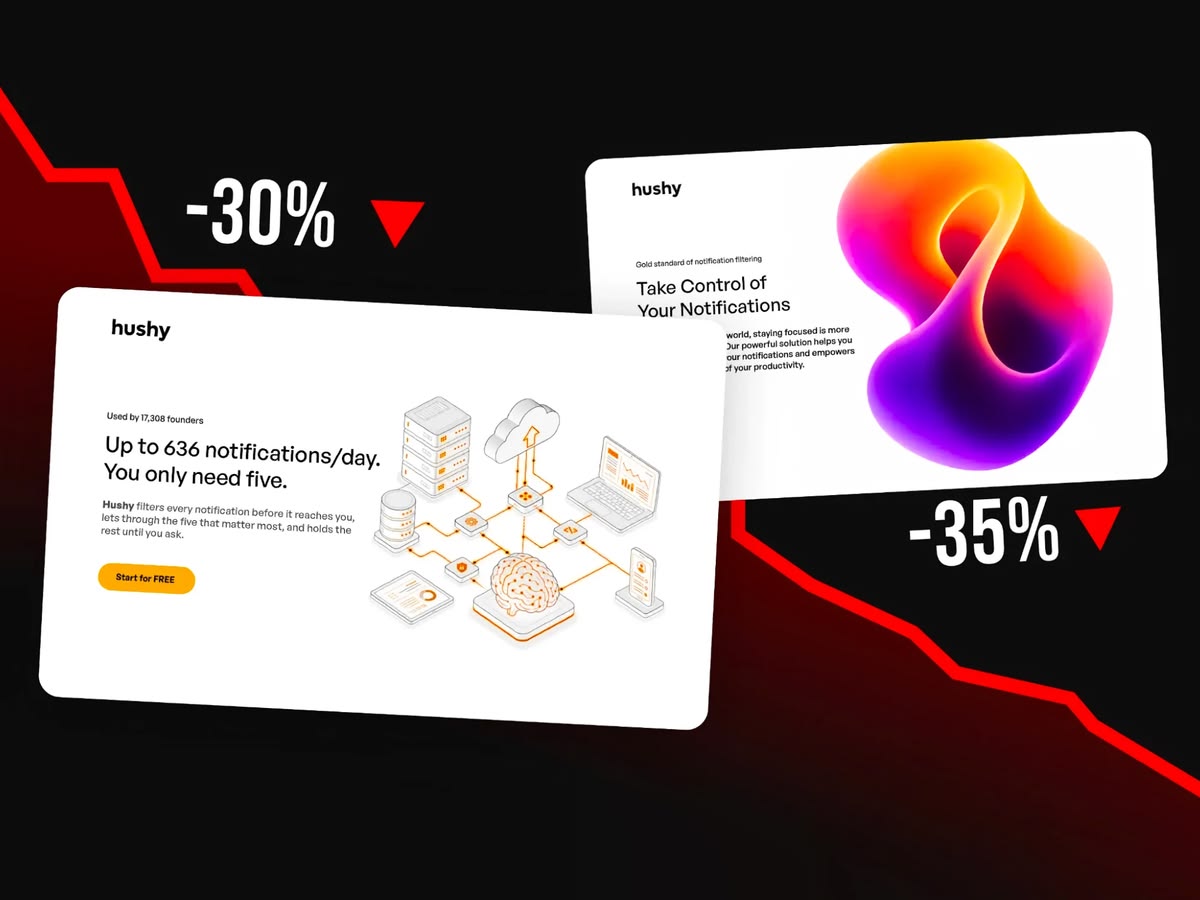
Key visuals are secretly killing your product. And it has little to do with AI. It's a conscious design choice that simply undermines your business.
Companies spend months (or weeks) building a product and then they put a blob with a light-leak on their homepage. A pretty picture that means absolutely nothing.
The problem is that since most landing pages now do this, companies are inclined to at least try that. It's herd mentality and a bit of fomo. It's like they all follow some kind of "landing page blueprint" without thinking.
That creates a huge problem with landing page creative direction that reinforces itself. At least until a breaking point, because this abstraction obsession is really bad for business.
Sales drop because your main convincing spot (the hero) totally sucks at delivery.
First impressions
People coming to your site decide to buy or not in under two seconds.
Aesthetic usability effect is real, but when everyone uses abstraction it only contributes to extra cognitive overload. User closes the tab and that's the last time you've seen them.
So I made a fake product and made the same key visual in ten ways, ranging from total nonsense to actually connecting with the claims.
All the designs will be plotted on a graph correlating abstraction with relevance. And no, you don't need to necessarily be in the top right corner to win.

There are some unexpected things here, like when can abstraction actually work for you, because this is not exactly about avoiding abstraction. We don't want the web to suddenly become ultra-literal either.
The missing piece is relevance.
A good website communication can usually be defined in these four steps. It's like a path for the user that drives them to action.

It starts with a clear problem that the end user (client) hopefully has. Then we show a solution, but that solution can't rely on "a magical algorithm". It has to be grounded in reality.
What I mean is that it has to be at least roughly explained HOW it works. And at the end there needs to be a clear benefit and a low friction incentive (like try it quickly and free).
Knowing all that let's do an exercise in landing page design for "hushy".
Landing page first impression
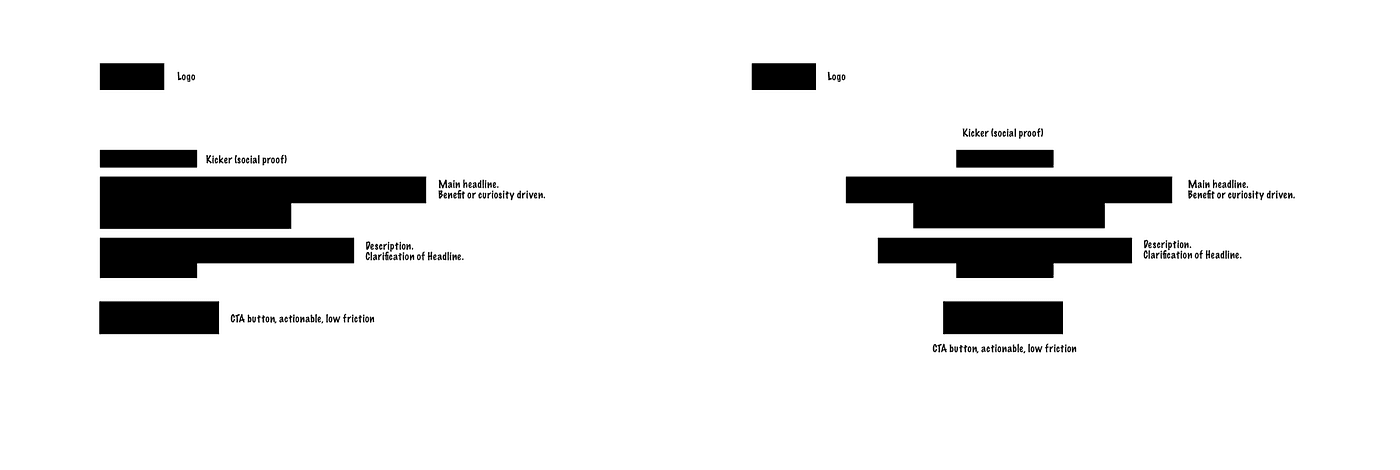
In western culture we have two typical landing page structures. Left aligned and center aligned. The main difference between them is usually in how copy focused they are.
The center aligned one is most often accompanied by smaller and less prominent (lower on the page) visuals and showcases stronger, better and more impactful text parts.
The left aligned one moves to the side so there's space on the right for the key visual. I already talked about optimizing the parts on the left before, so let's just go through them again briefly.
We need to do that, as my ambiguity and irrelevance progression examples will rely on a fake product I created to illustrate the point.
It's important to note, that not all websites need all the elements. Some will be just fine with only the H1 headline and a CTA button. There's also a tendency of generative AI to generate kickers in all landing pages even if they're completely redundant.
So let's "design" a landing page for a fake notification filtering service called Hushy.
The bad example
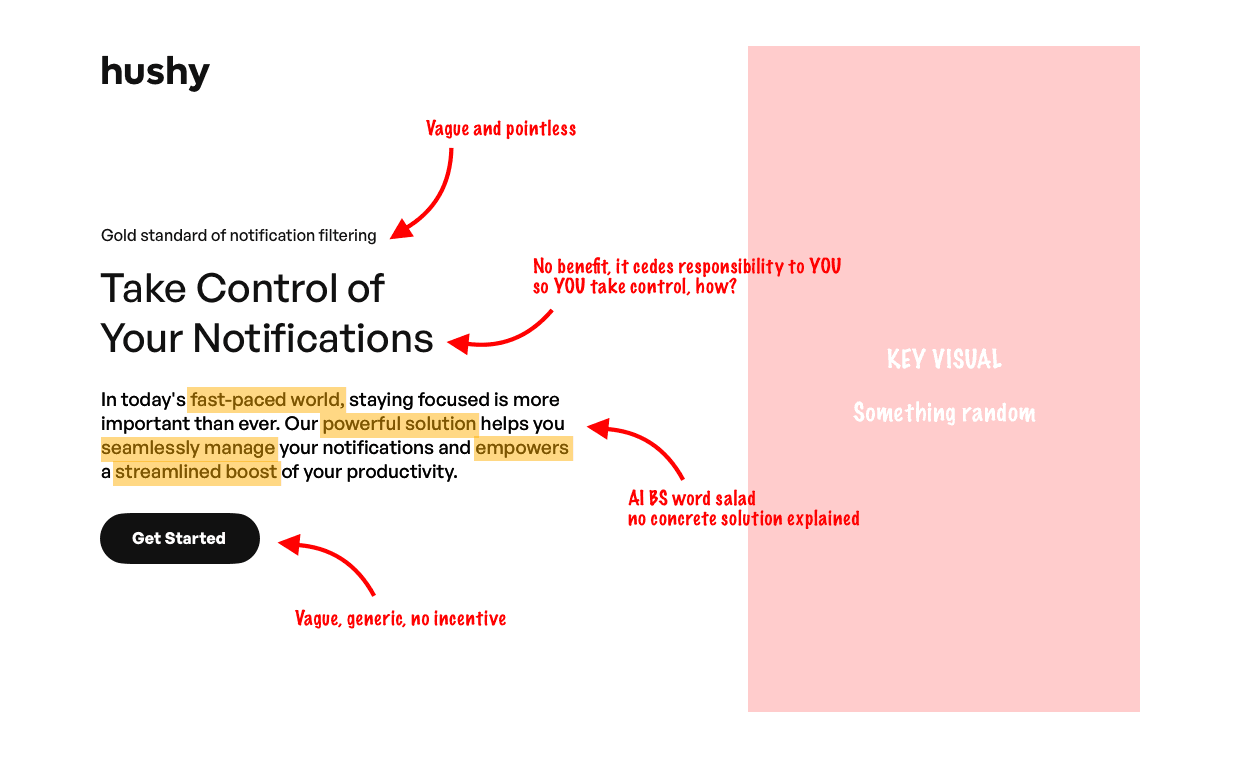
I annotated a bad example for you in the image above. It starts with a super vague and meaningless kicker. If something is a "gold standard" it likely means the website owner thinks so and they gave themselves a medal for participation.
Then the "Take control of your notifications" may feel like a perfect, action oriented headline. The problem with it is that it doesn't outline a problem or a solution. It instead cedes the responsibility of doing something to you. It's not saying "WE take the pain away from you", it tells YOU to do stuff.
That usually implies extra work and effort.
Then we have a dead giveaway of an AI-bs-word-salad description. This looks smart and classy, but there's nothing there. No meaning and no explanation on why you should care. It seamlessly empowers complete resignation.
And then the cherry on top, the CTA. It just says "get started", which once again implies YOU need to start doing something here.
This is a bad hero section copy, but if you start with this you're already miles ahead of the competitors. And that is very sad.
That's because most "designers" nowadays actually start with a key visual. They make some random blob, light leak or pretty image and then wrap some copy around it. Doing line breaks where it makes sense in the image and all that jazz.
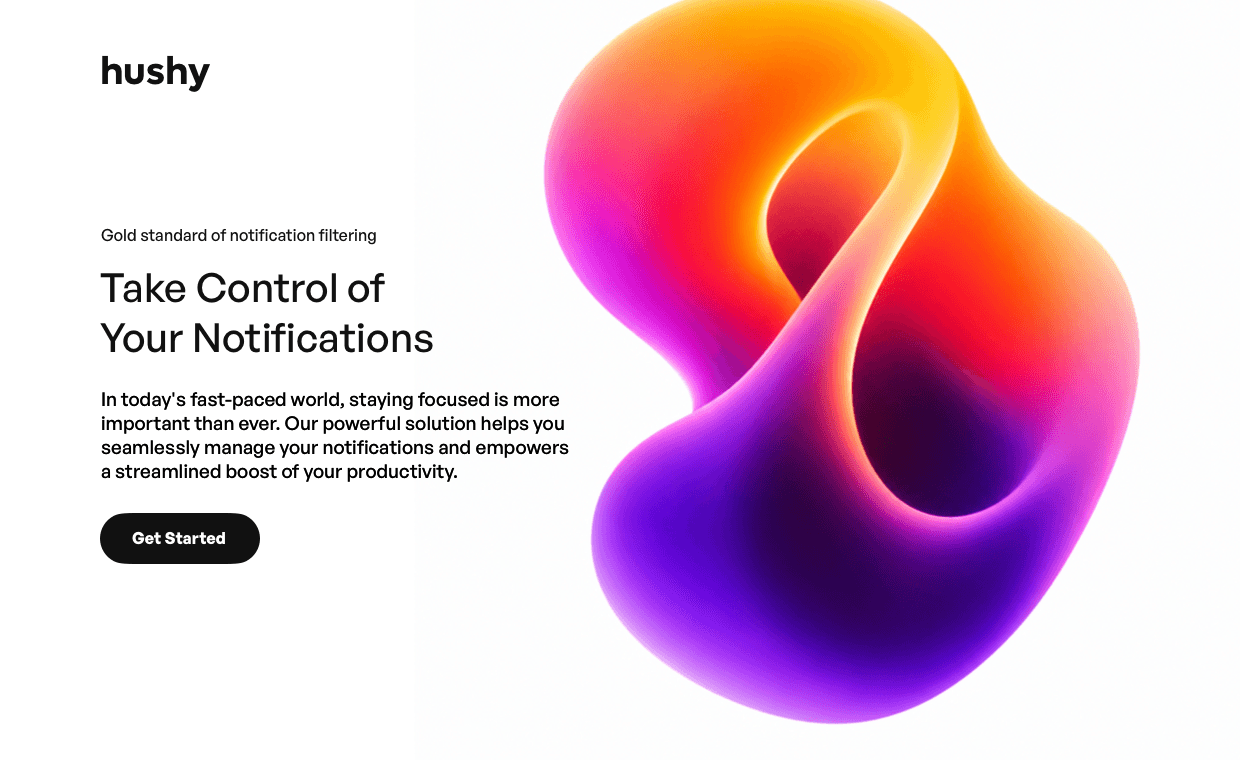
That leads to complete disassociation between the image and the copy. Instead of them reinforcing each other, they compete for attention and then our brain struggles to find a connection. That adds up to cognitive load and as a user we click away, frustrated.
So if you start with a bad (abstract and irrelevant) visual AND bad copy, there's absolutely nothing to convince the user to trust you.
Two seconds and they're gone forever.
Better option
Keep in mind, that a true copy rework process is not a 5 minute job like in this example. It takes customer research, multiple iterations and experiments, and then, after launch lots of testing.
The option I'm showing you right now is better than the alternative and can be a starting point to talk about the key visual problem.
Let's quickly go through the annotations.
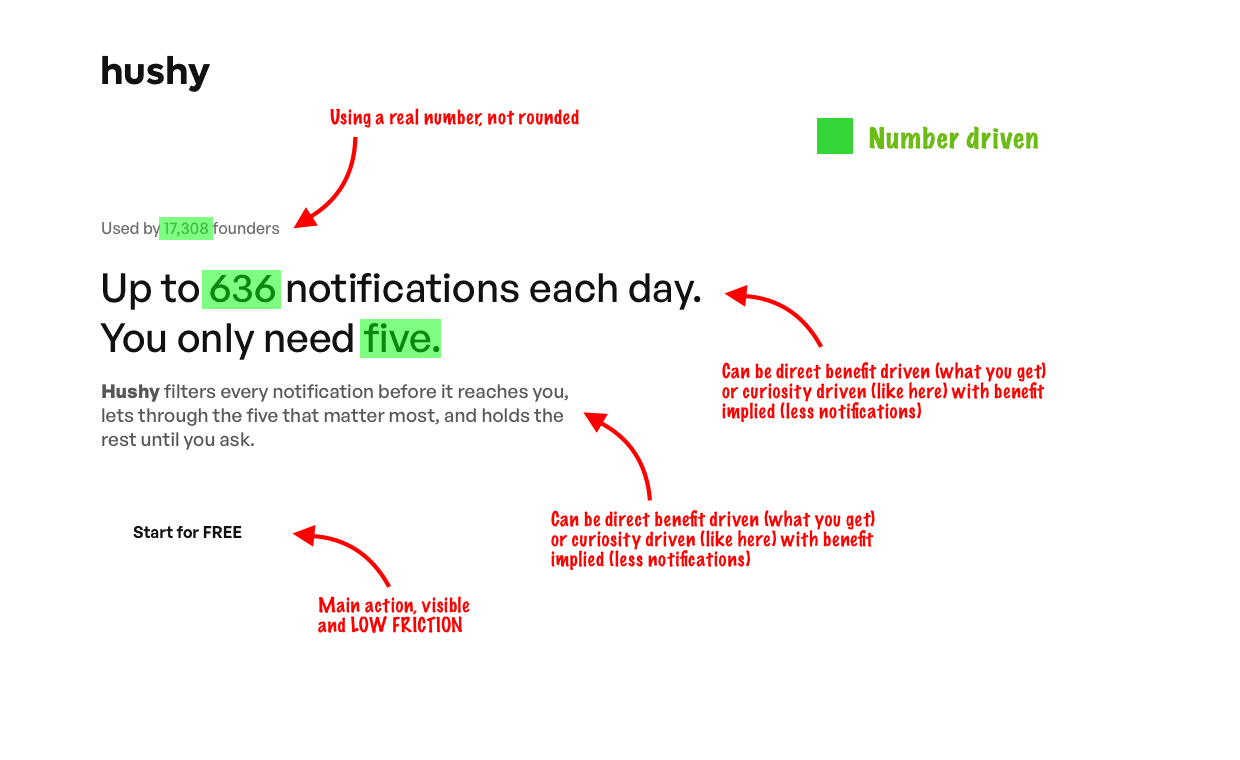
Kickers are usually there for social proof. Using a real number always works better than a rounded number, as many people assume rounded is made up. You can also use a trustpilot or google review link if they exist there.
The main headline can be directly benefit driven, or as in this case it shows a problem (average internet user gets a lot of notifications, most are unnecessary) and plays on curiosity on how the five are chosen.
Then the description explains it's done through smart filtering.
The CTA is super low friction, saying that you can start right now, without payment. So if you don't like it you don't have to commit. That's probably the best way to get people onboard.

One thing worth mentioning is that our brain really likes patterns. Like a recurring number references in the copy (17308, 636, 5) that show in a decreasing order. The brain makes that logical connection automatically.
Thousands of people get hundreds of notifications and get them down to single digits.
That pattern is called "number driven" and there are multiple patterns like benefit driven, fear driven, prestige driven and others. They're called emotional triggers (most of the time) and I talk about all those in my Blueprint methods.
The plot thickens
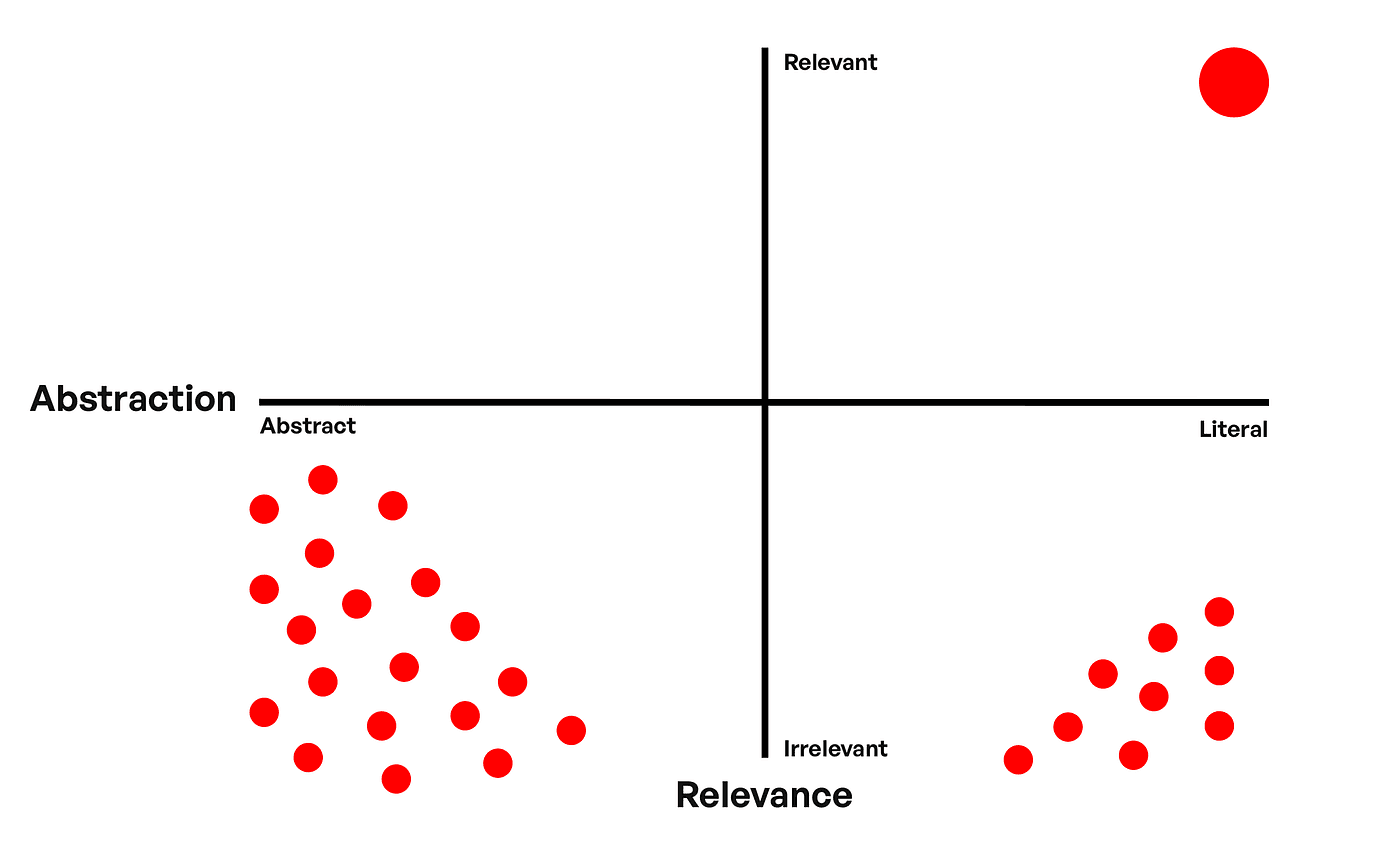
I mentioned that the biggest issue with online key visuals are abstraction and irrelevance. So naturally let's map a simple diagram with abstraction being the horizontal axis and relevance being the vertical one.
They're strongly correlated, and we may assume the best place to be on this chart is the top right corner, but I'll show you that's not the only case.
However, the issue is that the majority of landing pages are distributed around the bottom-left corner and some around the bottom-right.
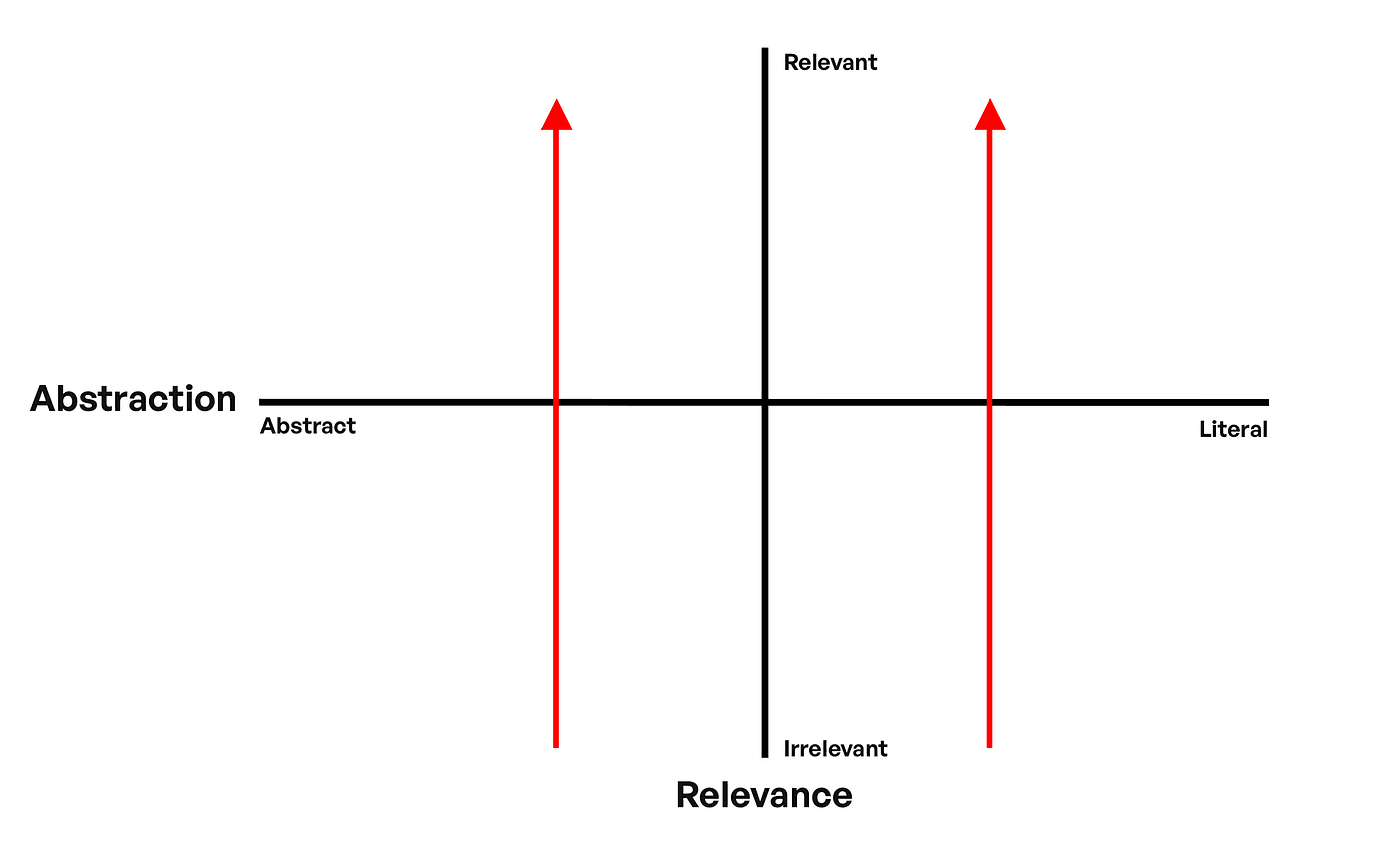
Relevance of key visuals is now at an all time low. And designers seem to not be able to even explain those choices to clients anymore. That leads to less client trust and less potential revenue for a designer. It's a mess.
My goal was to create these 10 examples in two lanes. One more abstract and one more literal, going from the bottom (low relevance) and moving up.
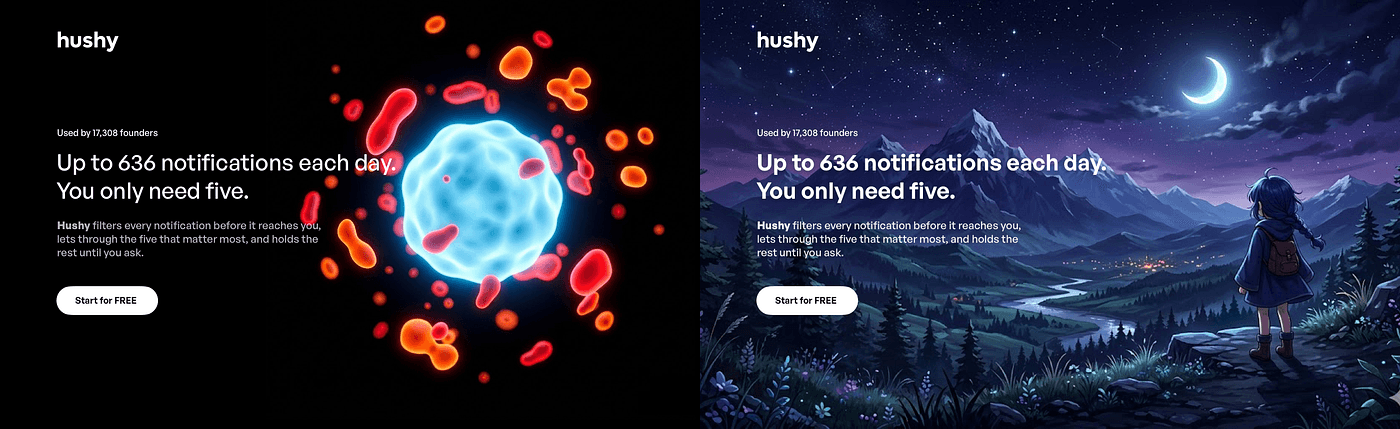
Level 1, lowest relevance
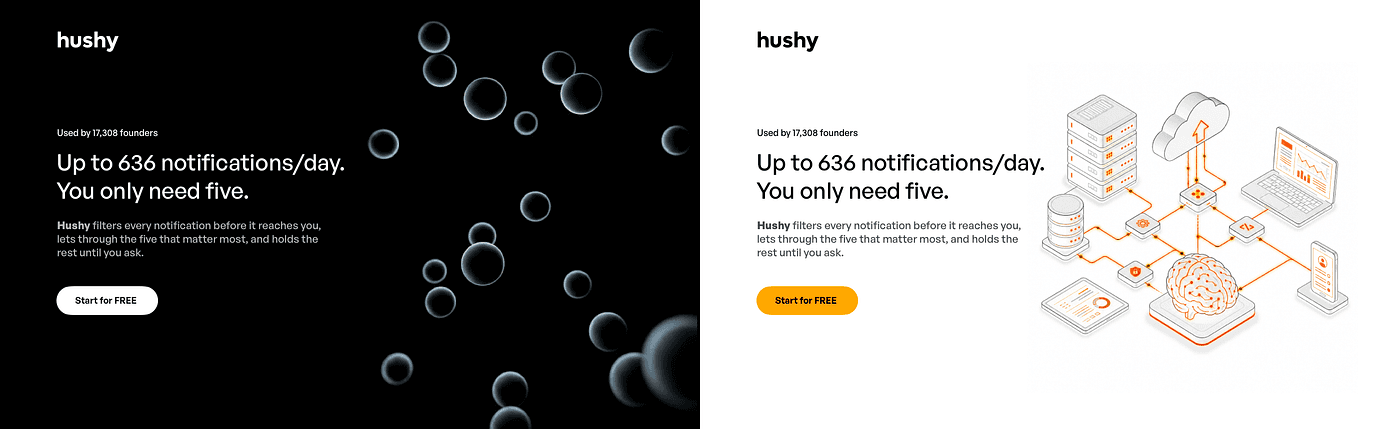
We'll start with the abstract option first. You've probably seen this countless times. Glowing blobs are extremely popular now, that they are very easy to generate without effort.
That use relies heavily on aesthetic usability effect.
Aesthetic Usability Effect means things that look visually good are also perceived to work better.
Sadly for many clients this is now synonymous with good design. At least until they see zero sales. But in that case it may be too late already.
Repeat after me: Blobs kill design.
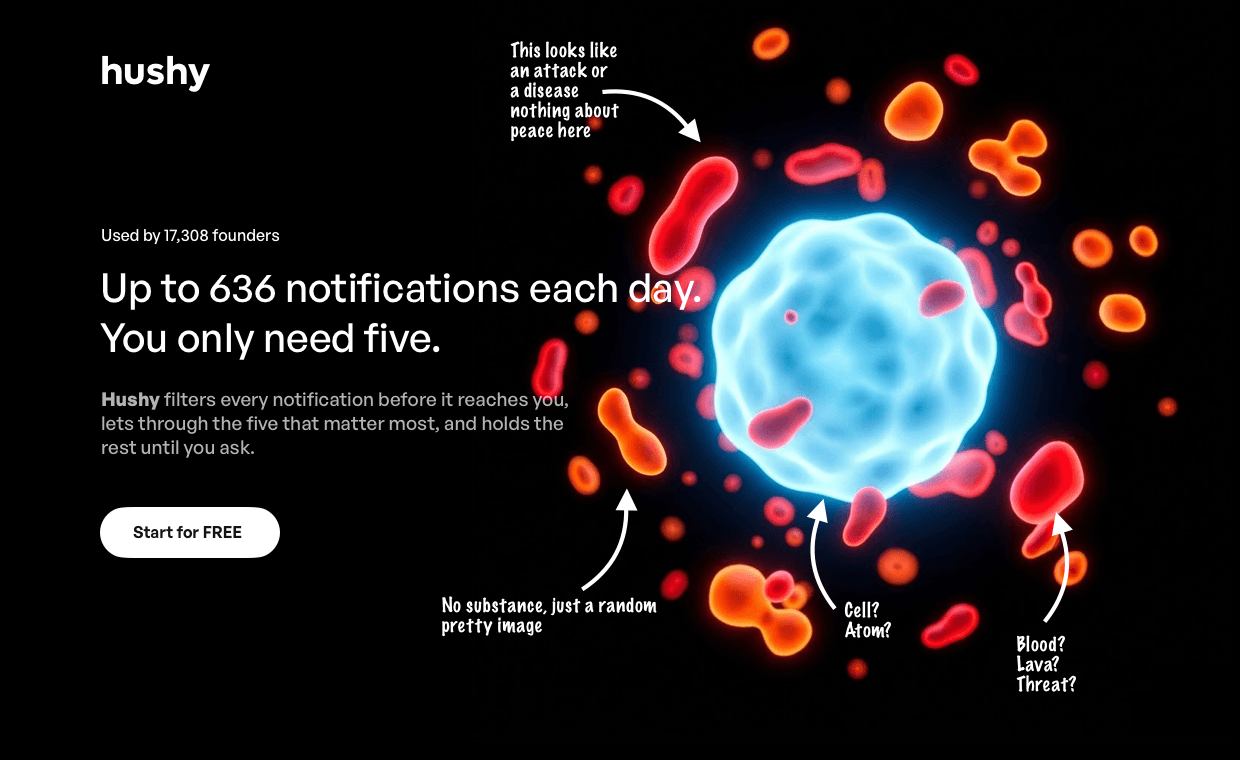
There is absolutely no connection to notifications here. There is a center nucleus and surrounding cells. Or lava lamp micro blobs. It looks medical at best, but vague and irrelevant.
There's absolutely nothing about peace of mind or even filtering here. Which almost instantly leads to our brain trying to find that connection and becoming overloaded.
This is a very, very bad design choice. This site would've been better without any image.
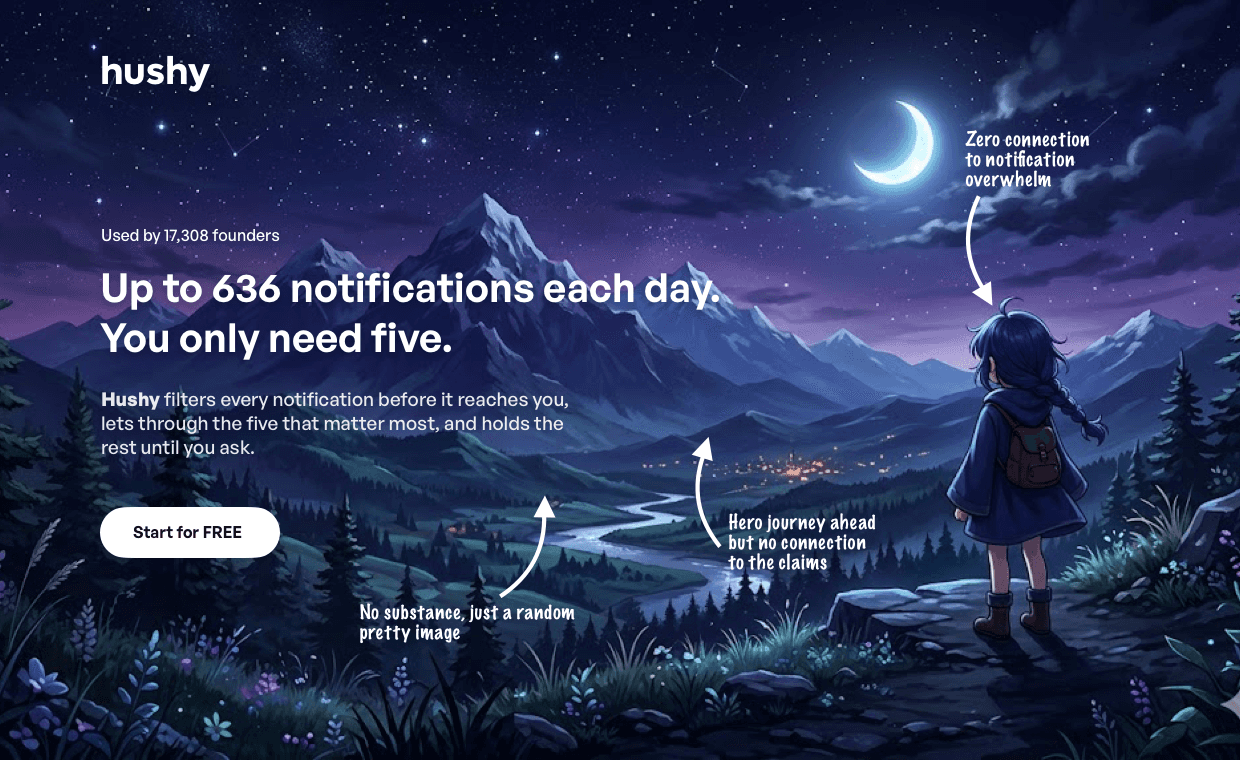
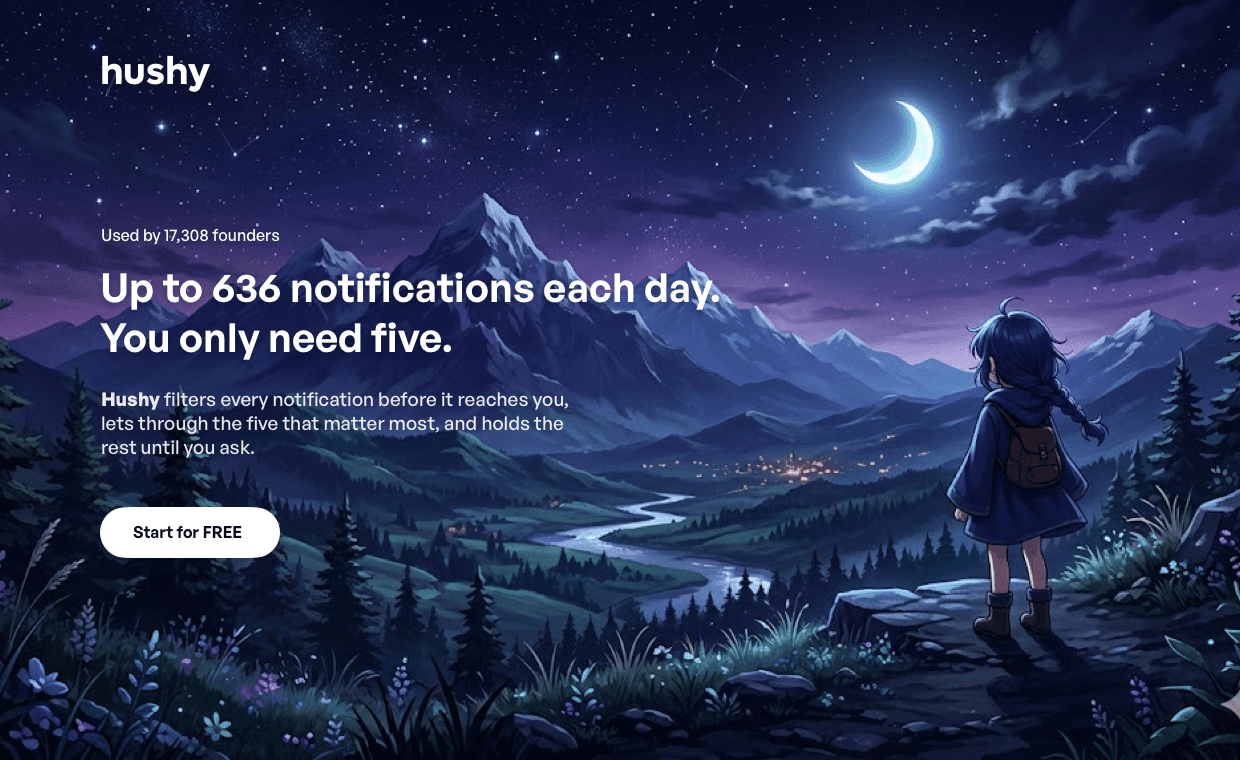
Second example is literal, but still extremely irrelevant. Here we know what this image depicts. It's a person looking at a journey ahead. Probably towards that town in the mountains.
How is that connected to notifications? Filtering? Digital products?
It's not. It's just as irrelevant and in this case our brain actually needs to work a little harder than with a pure blob.
These images are very popular since AI generation became a thing. They're not always anime though. Very often they're landscapes of some kind though. Sometimes futuristic, cyberpunk, or calm like the Windows XP wallpaper.
In all the cases they contribute absolutely nothing to the message and once again, the website would've been better with no illustration at all.
Level 2, slightly more relevant
In level 2 we're getting into another popular category. Effectionism, so a perception of higher effort while still remaining extremely low relevance.
Especially the isometric image example is a dead giveaway of low effort that actually hurts the sales.
Let's drop right into the abstract example.
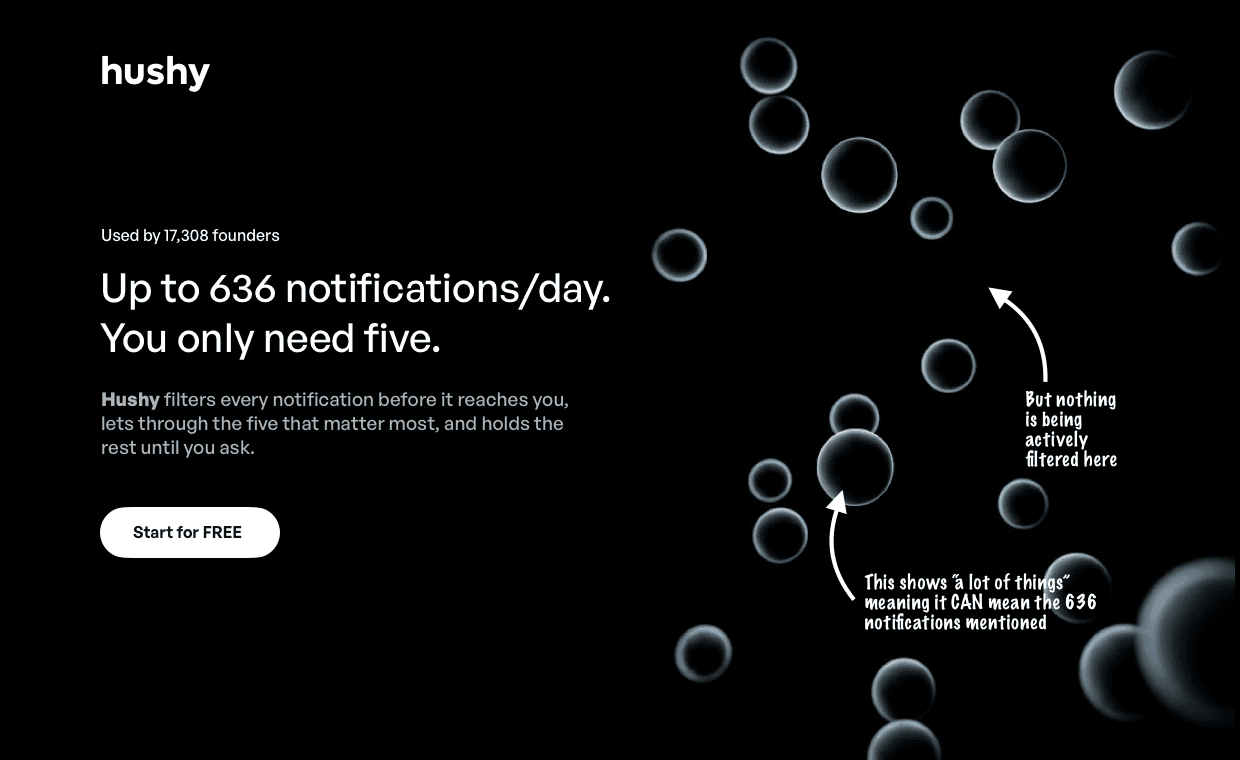
This example is slightly better than our blob on the abstract scale. It's still pretty abstract. A set of bubbles. You can imagine they move in 3d or even react to your mouse movements.
In many cases that's enough to wow the client and get lots of social media likes, but this still has almost no substance.
It does show "a lot of elements" that may be somewhat loosely connected to the 636 number. But we clearly see it's not that many.
And at the same time, there is nothing being filtered here. They just exist and that's it. Even if with a fancy animation. So once again our brain tries to connect the dots (semi literally here) and ends up blank. Pretty image, no connection or substance.
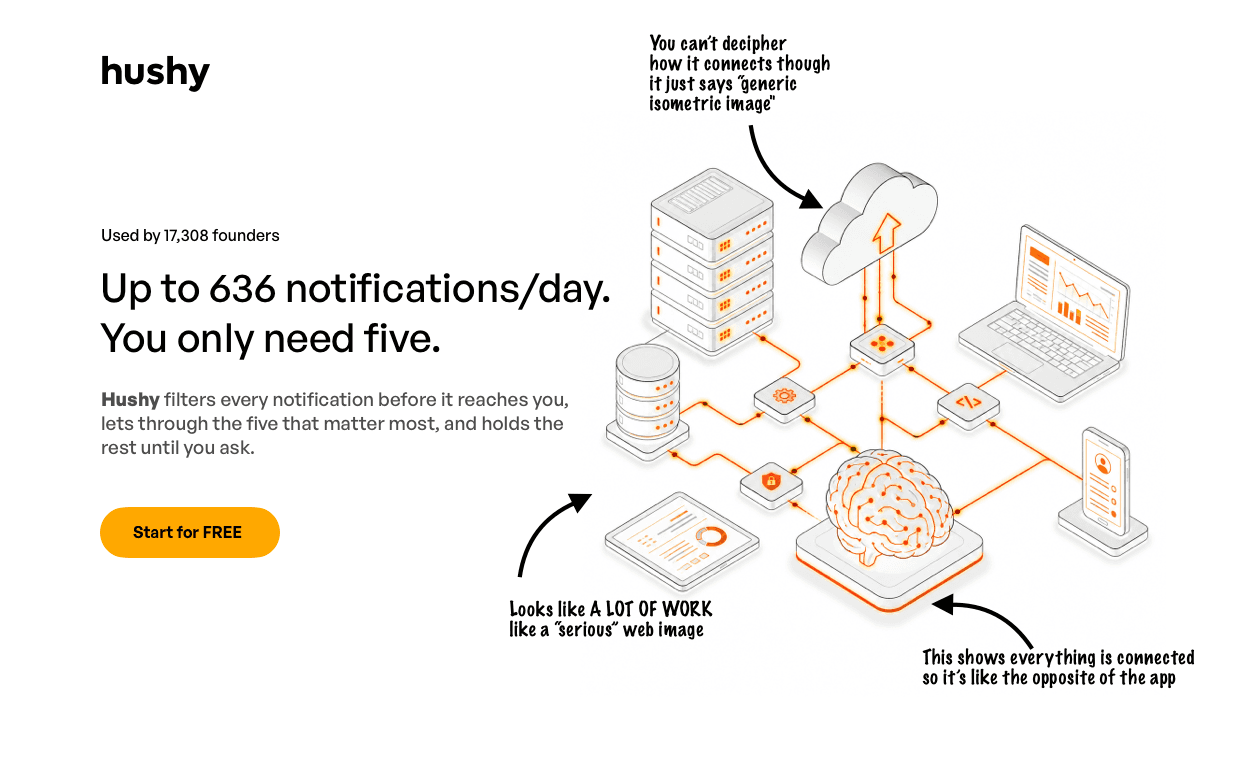
Ahh, isometry. Nothing says "wow, that's so much work" like an isometric grid of faux-3d elements. When done in the two-tone option (with mostly greyscale and one highlight) many think it screams quality.
It became extremely popular now with AI images and it's one of the tricks to convince clients they paid for effort.
The problem with isometric connected diagrams however, is that they almost never actually have a meaning to them. Especially in key visuals.
Sometimes, down the page a simple one box with an arrow to another box can say that two layers communicate. I'd still pick a more benefit driven example, but we can be fine with that.
Not in the hero though. Here isometric images are just an illusion of sense. I'd put them on the same level as "smart sounding words" in the copy. Like adding seamlessly and streamlined to the headline. It's low relevance and low effort masquerading as high effort.
It's what I call dishonest design.
The brain mostly ignores these images, because their interconnected complexity is too much to handle. What does it mean?
Nobody really understands your isometric visual. Not even you.

Level 3, somewhat relevant
Now we're getting into the territory of actually becoming relevant and understandable. The brain in both these cases has a little less to process than before.
Unfortunately, after analyzing nearly 4K websites, this is the average "highest" level of relevance the sites get. Right in the middle of the spectrum, which is not what we should be striving for.

This metaphor, while abstract, is still a lot clearer. There is a center point (assuming it's "me") and lots of small shards attacking that point from all sides. The bubble seems to be stopping the onslaught, like a protective layer.
So far so good, but in this scenario absolutely zero notifications get through. This is not what the claim promises and it creates a logical gap between the visual and the copy.
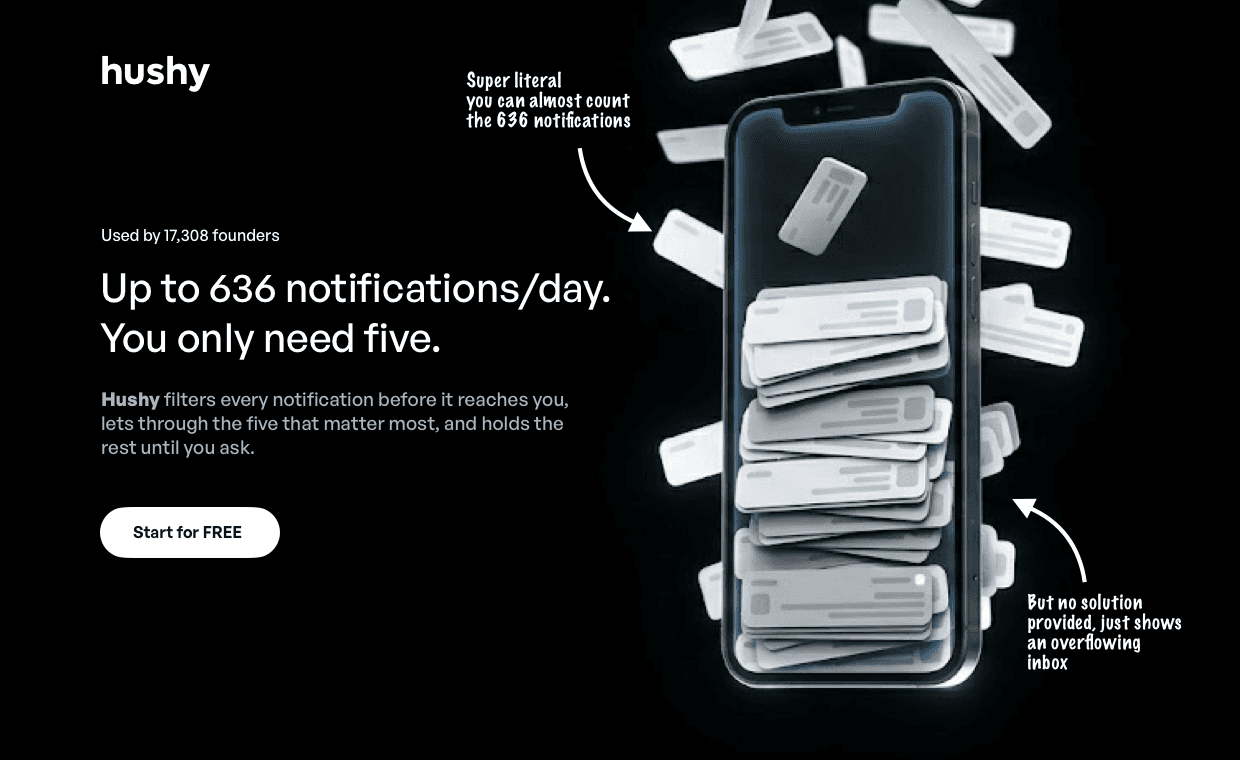
Now we are getting to a point of literal with higher relevance. There's a phone and it's overflowing with notifications. There's lots of them, so it connects to the 636 claim very literally.
But there's no filtering shown here either. It only displays a problem (overflowing inbox), which is only partially relevant.
They say an image is worth a thousand words. Well in this case it's 500 wasted words because it simply doesn't fully connect. It shows a problem, but not the solution. Not a benefit.
Still better than completely ambiguous image, but definitely wasted potential.

Level 4, we're getting relevant
If most modern landing pages were at roughly this level, I wouldn't have noticed the entire abstraction trend going on.
They're not.
Let's take a look at our abstract balls metaphor first.
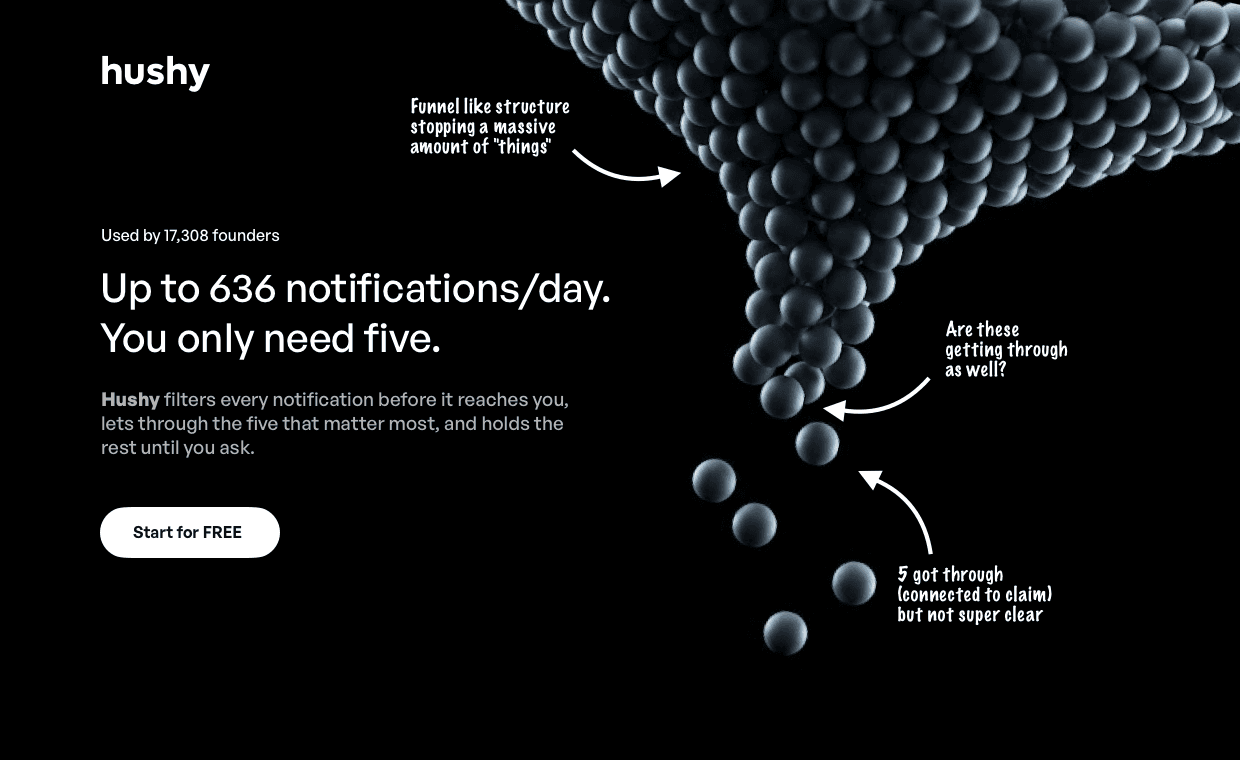
It has a funnel-like structure, so there is a connection to filtering. There are also five balls that made it through and are now loose.
However is them looking exactly the same the point? As some other balls at the end of the funnel are also almost there. So while it is clearer about what's going on here.
It is almost there, but almost is the key word here. It means someone actually thought about the abstraction, just not fully.

On the literal path we have a 3d phone. Not the most original approach, but at least we show actual notifications on the screen, with lots of hidden ones behind the device.
However there's only three on the screen, not five. If you have a claim you need to stick to that claim. Even if you consciously ignore it, your brain will actually notice that disassociation.
This is literally almost there, but not quite. What it's missing is some kind of payoff shown. If we're going literal, it'd be cool to show a direct benefit from less notifications. Not just them being less.
But it's definitely closer, even if pretty uninspiring.
Level 5, relevance achieved
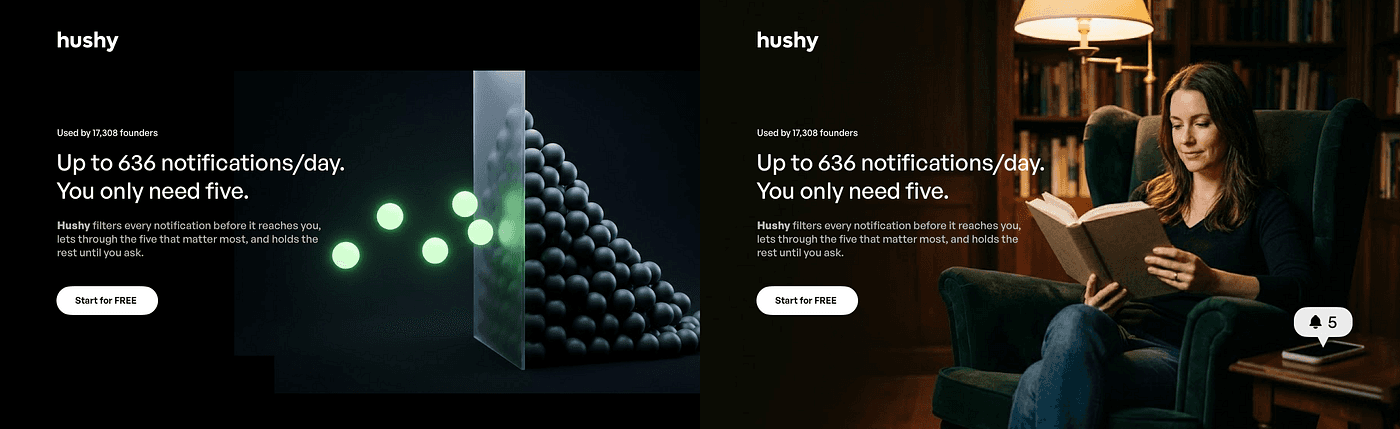
Now we're getting into the relevant territory on both the abstract and the literal front.
There isn't a single good way to achieve both, this is just a general direction that shows one approach. But most websites still fail to even get here, not mentioning an iterative and better take that this can lead to.
Let's start with the abstraction and our trusty balls metaphor.
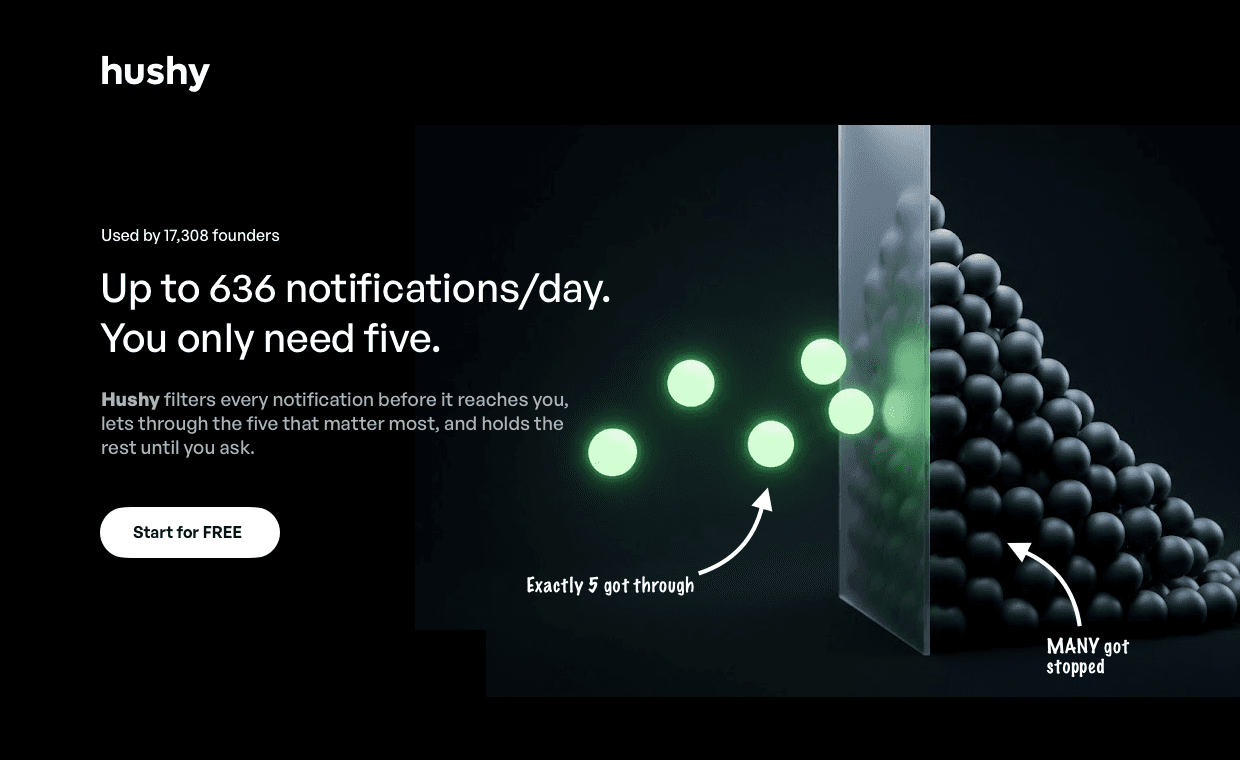
This is still abstract. Those balls can represent notifications on a metaphorical level, but they're not notifications. They're just 3d spheres.
However we do show a translucent barrier dividing the 5 that matter from the grey and unimportant ones. The transparency of the barrier also means you CAN see through to the rest of them if you want, but it's being handled for you.
So while being completely abstract, it is relevant to the claims of the copy. Nobody is going to count to 636 exactly, but everyone can count to five.
It's simple, not very creative either, but at least it is relevant to the message. The brain interpreting it subconsciously makes all the right connections to the words and to the numbers.
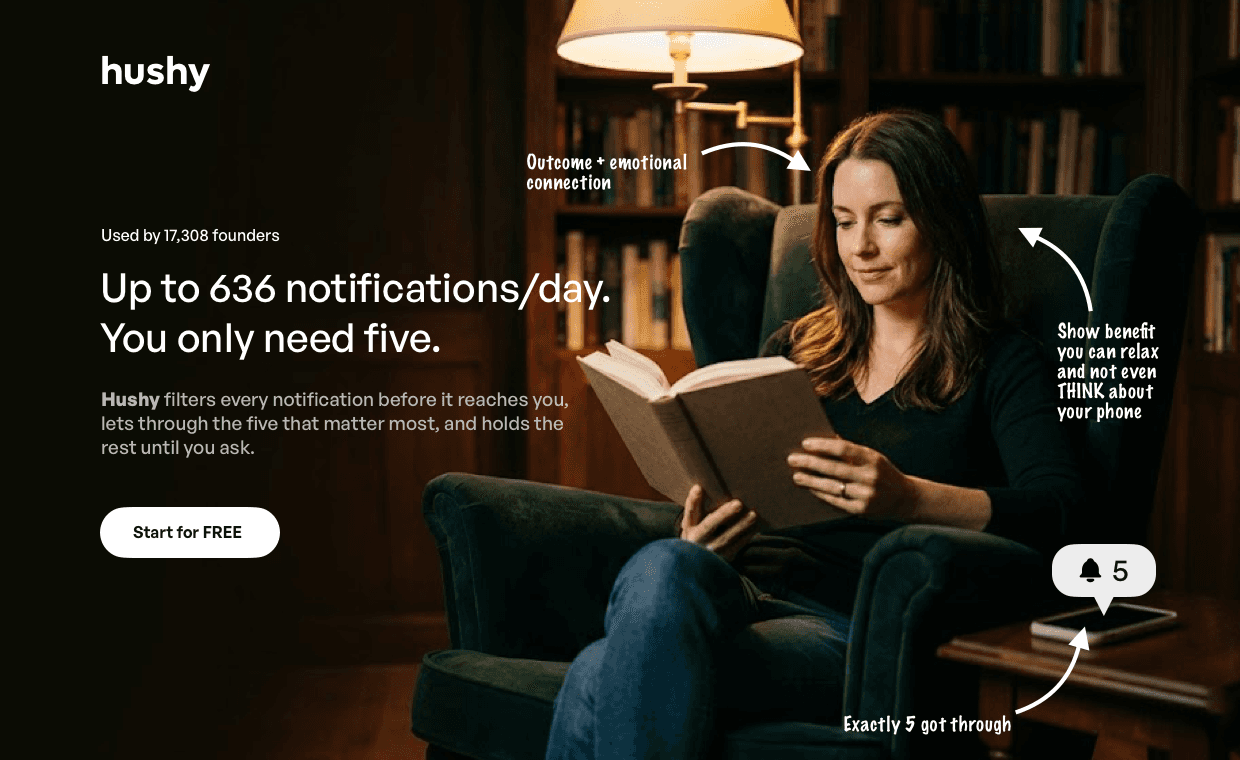
Now we go super literal while staying relevant. There is a phone with a small bubble showing exactly five notifications. But there's also a clearly shown benefit through an emotional payoff.
The person is not even looking at the phone. She's relaxing, without a worry. It shows what you will get by using the service. The emotional connection adds up to perceived emulation.
When we show someone in a position we want to be in, we naturally imagine ourselves there too. It's one of the most powerful triggers a key visual can have, if done right.
If we were to design something like that, the photo would have to be taken specifically for that purpose. No stock or generated images. When possible it's good to take photos of a couple subjects, to then test what kind of user resonates the most with the audience.

Where are they all sitting?
As you can see our level 5 relevance projects are not entirely abstract or entirely literal. That is just fine and it proves that a "working" design doesn't have to either be literal or abstract. It can be anywhere as long as it has relevance.
The problem wasn't abstraction itself. Sure, some level of literal saves our brain from extra processing but some products just can't be done literally.
It was always about relevance.
Or rather about the key visual being actually connected to the copy.
When that connection is clear to our brain, either consciously (literal) or unconsciously (abstract) is secondary.
But the visual needs to be there for the copy. Not just to occupy space. Which is what most modern web design seems to be doing. Just filling up space with images that are absolutely irrelevant.
That pretend game design seems to be playing is decreasing conversion and leading to these bad trends being propagated further.
At least until the CTR's show that it was all a ruse. Nobody clicks, nobody cares and the average design is a recycled and uninspiring copy of what everyone else does as part of herd mentality.
So if I am to leave you with a single thought from this:
A really great sales website doesn't need any graphics. Start with that, polish it relentlessly. Copy, fonts, hierarchy, spacing, colors and highlights. And then, only then, consider adding an image IF you have an idea on how it will truly benefit it.
It's time to drop the irrelevance from web design and get away from the landing page as artwork concept. They're not art. They're supposed to do a job.
And for that, every element needs to work together. Not be random.